The network card, switch, cables and disks your lounge needs — by number of PCs — so game copies run at full speed.
Getting started2 min readUpdated 2026-11-17
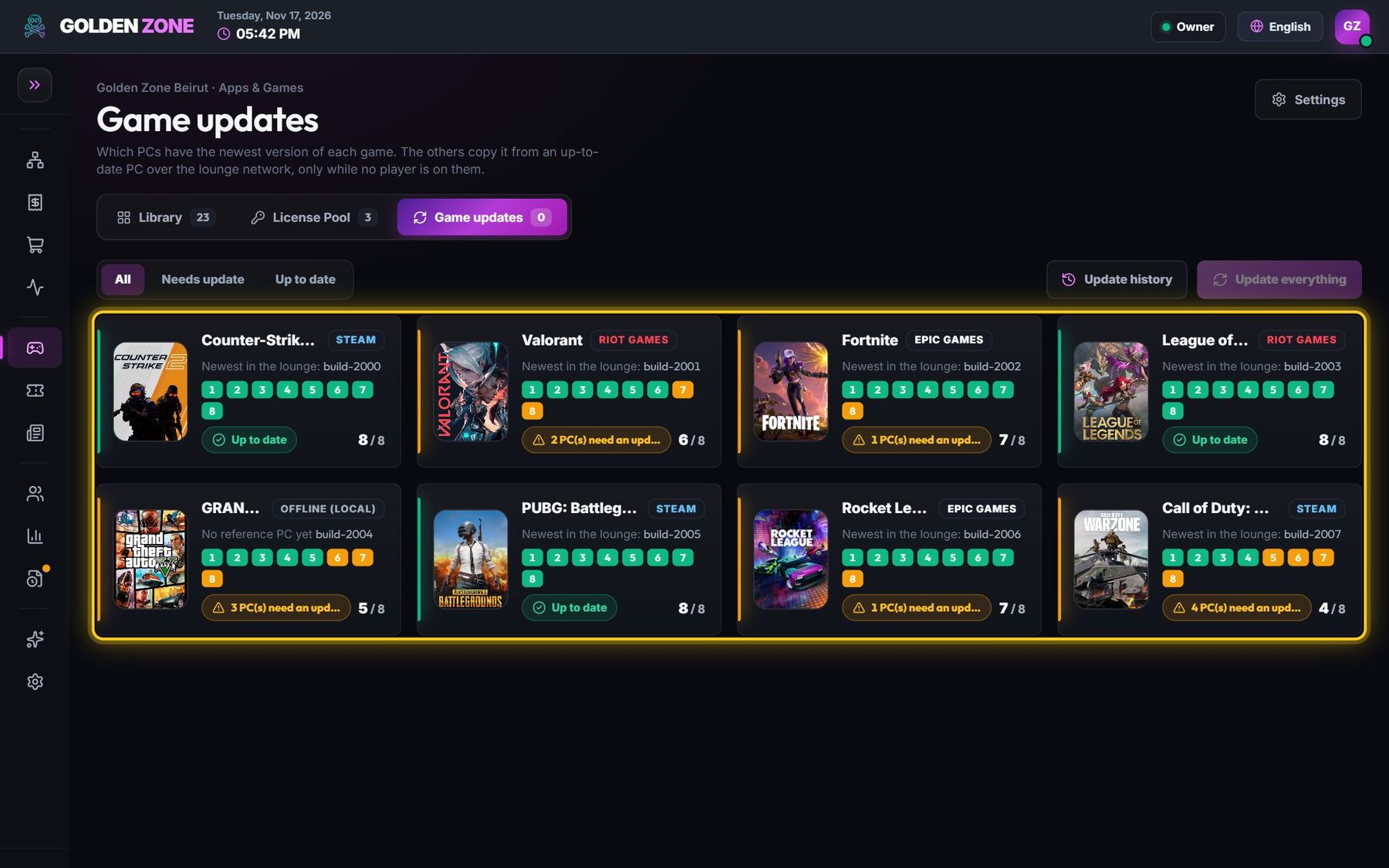
Game updates copy games between your PCs over the lounge network. The internet is used once (by one PC); the speed of every other copy depends only on your network cards, switch, cables and disks.
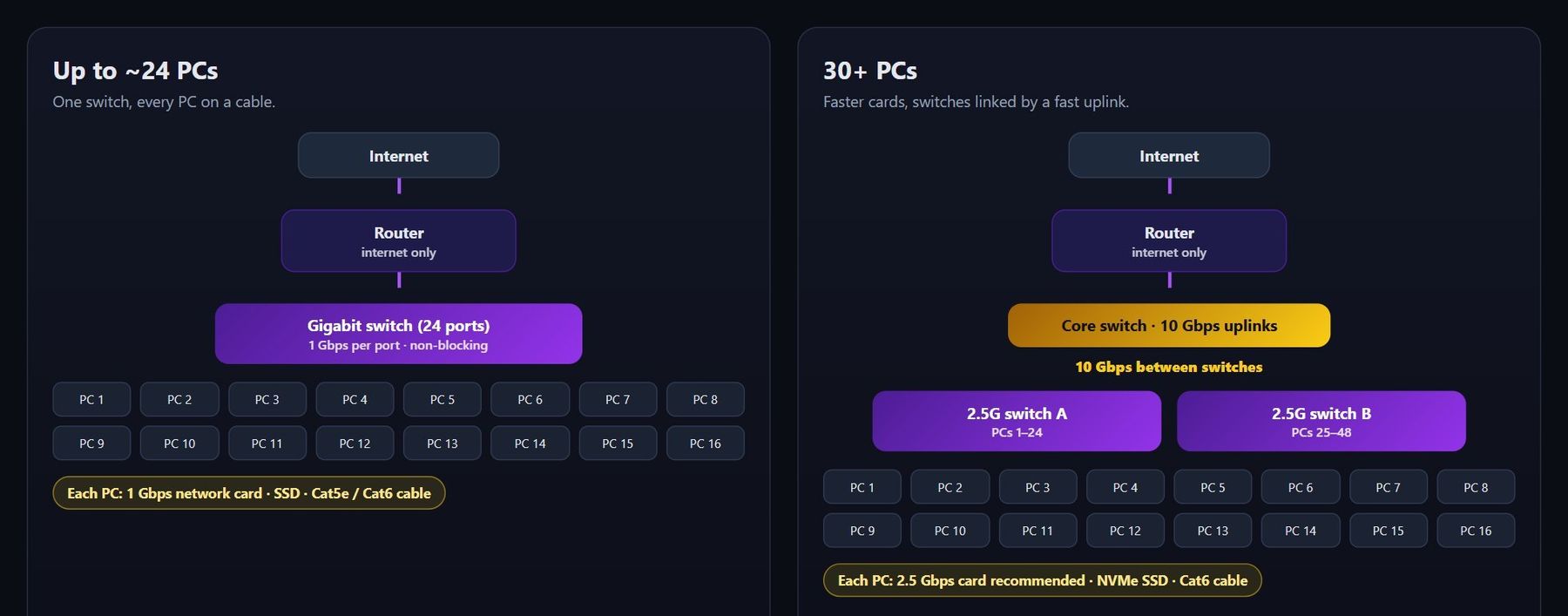
A small lounge (one switch) and a large one (fast links between switches).
What each PC needs
Network card: 1 Gbps at least (about 110 MB/s → an 80 GB game in about 12–14 minutes). For 30+ PCs, 2.5 Gbps cards copy about 2.5× faster.
Cable, never Wi-Fi: Cat5e for 1 Gbps, Cat6 for 2.5 Gbps and up. A damaged cable silently drops a PC to 100 Mbps (10× slower).
Games on an SSD: a hard disk (HDD) writes about 100–150 MB/s and slows the PC down while it copies. NVMe is best for 2.5 Gbps.
Free disk space: keep at least the size of your biggest game free on every PC.
Switch, by lounge size
Up to ~24 PCs: one gigabit switch (non-blocking — every port at full speed at once), all PCs plugged into it.
25–48 PCs: one 48-port gigabit switch, or two switches linked by a 10 Gbps (SFP+) uplink — never by a normal 1 Gbps cable, which becomes the bottleneck between the two groups.
48+ PCs: 2.5 Gbps switches for the PCs and a core switch with 10 Gbps links between them.
The router is for the internet only; the PCs talk to each other through the switch.
Check your speed
Run an update and open Game updates: each copying PC shows its speed (e.g. “81 MB/s”). About 80–110 MB/s = a healthy 1 Gbps network.
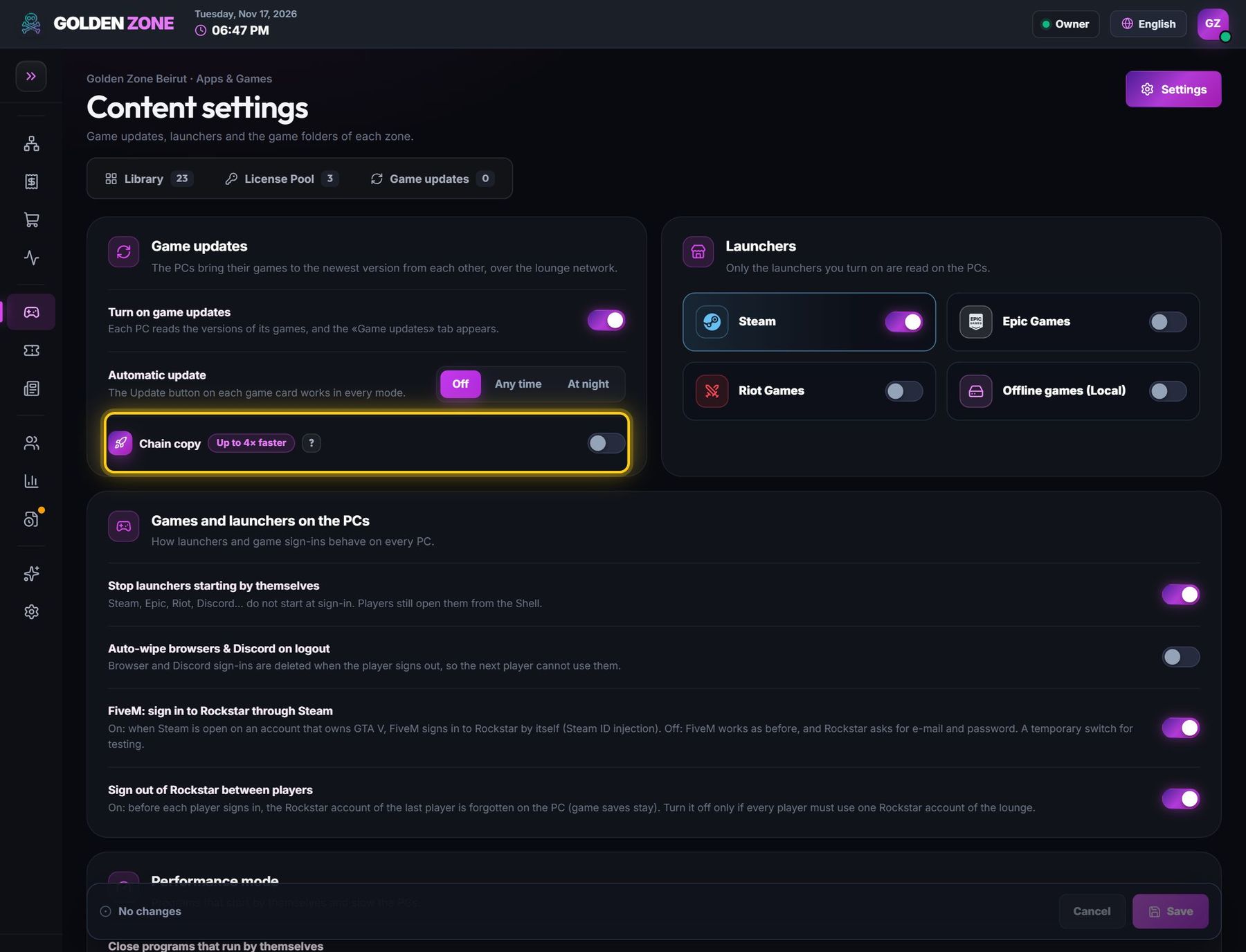
Many PCs? Turn on Chain copy: each PC passes the game on while it receives it, so the whole lounge is ready almost as fast as one PC.
Problems & fixes
One PC copies at about 11 MB/s
Its link runs at 100 Mbps: change its cable or switch port, check the network card.
All copies slow down when many PCs copy
Your switch or the link between two switches is the bottleneck — see “Switch, by lounge size”.