Lock down Windows for players
Choose what players can open on the PCs: Task Manager, CMD, settings, the taskbar and more.
- Go to Settings → System restrictions.
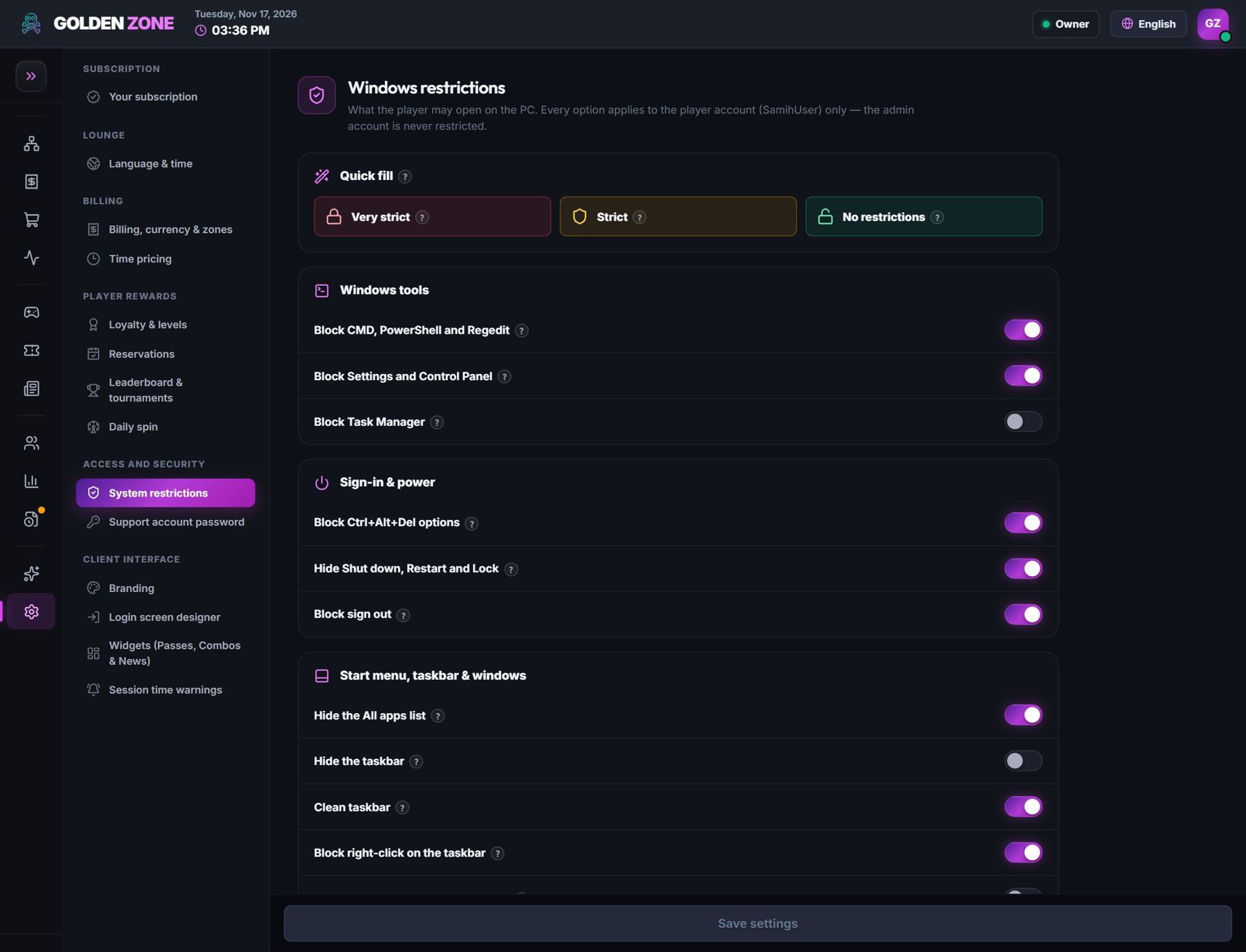
Quick presets and each restriction one by one. - Pick a quick preset (Very strict, Strict, No restrictions) or switch each item on or off.
- Press Save settings. The PCs apply the new rules within a few seconds.
Restrictions apply to the player account only. Your technician account (AdminUser) is never restricted.